


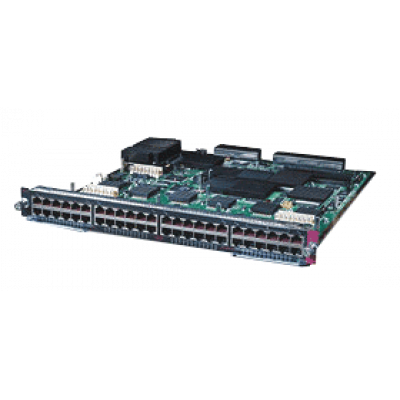
Модуль для Cisco Catalyst 6500 Series, 48 портов 10/100BaseTX.
Технические характеристики
Технические характеристики
| Ports per module | • 48 ports. Ports are numbered (left to right): 48 ports. Ports are numbered (left to right): – Top row, odd numbered ports 1-47. – Bottom row, even numbered ports 2-48. • 1 port group • Port ranges per port group: 1-48 |
| Port connector type | RJ-45 |
| Cabling distance | 328 ft (100 m) over Category 5, 5e, and 6 UTP/STP cable |
| Buffer size | 1.116 MB per port |
| QoS | •Number of egress queues: 4 • Number of ingress queues: 2 • Number of thresholds per egress queue: 1 • Number of thresholds per ingress queue: 0 |
| Maximum frame size | Up to 1518 bytes per frame |
| Module oversubscription rate | N/A |
| Supervisor engine support | Supported on the following supervisor engines: • Supervisor Engine 2 • Supervisor Engine 32 • Supervisor Engine 32 PISA • Supervisor Engine 720 • Supervisor Engine 720-10GE Note Check your release notes for specific information on the software release required to support the supervisor engines. |
| Software support | •With Supervisor Engine 2—12.1(8a)E • With Supervisor Engine 32—12.2(18)SXF • With Supervisor Engine 32 PISA—12.2(18)ZY • With Supervisor Engine 720—12.2(14)SX • With Supervisor Engine 720-10GE—12.2(33)SXH |
| Queues per port | •Tx—1p3q1t • Rx—1p1q |
| Chassis/slot restrictions | No chassis or slot restrictions; the module can occupy any slot in any Catalyst 6500 or Catalyst 6500-E chassis. |
| Bus connection | One 8-Gbps fabric connection and 32-Gbps shared bus |
| Module upgrades available | |
| PoE support | Not supported. |
| Distributed forwarding support | Can be field-upgraded with either the WS-F6K-DFC, WS-F6K-DFC3B, or WS-F6K-DFC3BXL daughter cards. See the Catalyst 6500 Series DFC, DFC3A, DFC3B, and DFC3BXL Installation Note for additional information and field upgrade procedures. See Appendix A for additional information on the DFC daughter cards. |
| Pluggable transceivers support | Not supported. |
| TDR support | Not supported. |
| Module front panel LEDs | STATUS • Green—All diagnostics pass; the module is operational. • Orange—The module is booting or running diagnostics. An overtemperature condition has occurred. (A minor temperature threshold has been exceeded during environmental monitoring.) • Red—The module is resetting. The switch has just been powered on or the module has been hot inserted during the normal initialization sequence. An overtemperature condition has occurred. (A major temperature threshold has been exceeded during environmental monitoring.) If the module fails to download code and configuration information successfully during the initial reset, the LED stays red; the module does not come online. LINK • Green—The port is active (the link is connected and operational). • Orange—The module or port is disabled through the CLI command or the module is initializing1 .• Flashing orange—The port is faulty and has been disabled. • Off—The port is not active or the link is not connected. PHONE • Green—The PoE daughter card is installed and detected. • Off—The PoE daughter card is not detected or is not installed. |